.jpg)


I hope this works. Kevin
Sitemizden Rokettube videolarini izleyip Sex izle videolarini hd kalitesinde Bedava Porno izleye bilirsiniz Sex Video ücretsiz sitemizde Sex hikayeler hikaye sitemizdir


 Testing my new sig
I hope this works. Kevin

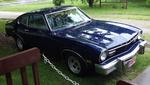
Kevin, try this
Click on Navigation, then Edit Signature, then click on the signature name (or edit) and clear out your old IMG text.
Now click on the icon that looks like a picture window (hover your mouse over it and it says Insert Image (it's next to the broken link icon in the graybox above the message window.)
Then you will see a blue box that says ADD FROM URL. Click on that and insert the "Direct Link" code(Not IMG) from your Photobucket image (second box down under your picture on Photobucket.) Then click OK andit should show up! Then click SUBMIT to save it.
If you have your Photobucket linked to Yuku, you can choose that method instead.
Andrea
try again
Looks like you've got the URL and the IMG combined together there.......get rid of the IMG......... should look like this:
http://i73.photobucket.com/albums/i240/1967stang/signatures/wborderrlol.jpg
Andrea

And that's a good looking stang sig....I never was able to figure out that sig stuff....
one more time!!!!!!!
Trying again...
A BIG thanks to Willis for the cool sig & to Andrea for getting it working for me!!!Kevin
 Posting Permissions

 Reply With Quote

Bookmarks